
GenAI in everyday work: what will actually stick in 2026?
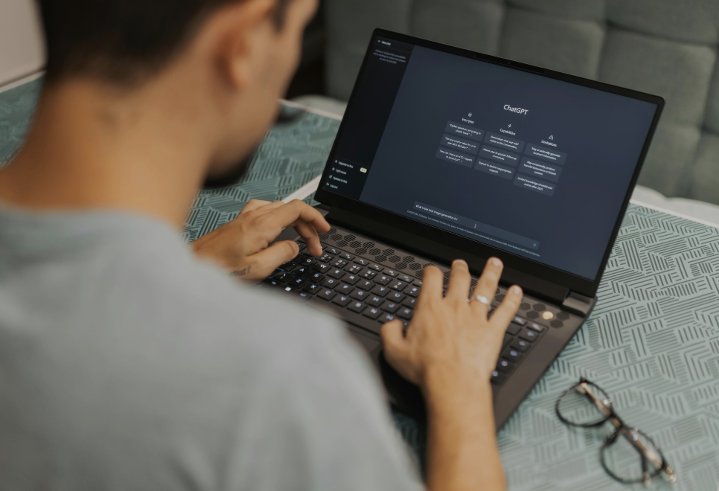
Generative AI (GenAI) has moved from pilot to day-to-day tool. In 2026 the winners won’t be those with the most bots, but those who pick a few durable, proven workflows - and wrap them in sensible guardrails. Adoption data backs this up: McKinsey finds 65% of organisations are now regularly using GenAI in at least one business function (up from one-third a year earlier), and use is spreading beyond early adopters.
Below are the plain-English use cases teams will keep using, plus a short list to skip or limit, and a 90-day rollout plan you can start tomorrow.
What will actually stick in 2026 (and why)
Drafting and rewriting everyday writing (with human review)
Emails, briefs, job ads, FAQs and short reports. Power users report 30+ minutes saved per day and say AI helps them focus on higher-value tasks. Keep the human sign-off for accuracy and toneMeeting capture → actions
Automatic notes, decisions and action items routed to your task tool. This works because it turns messy conversations into trackable work, and you can spot-check transcripts later. (Microsoft’s research echoes the time-saving pattern.)“Ask our documents” internal search
A chat layer over policies, SOPs, and wikis - great for onboarding and support. Atlassian reports teams saving ~20 hours a month using AI to surface knowledge; the value comes from quicker answers, not fewer hours worked.Customer-service assist
Suggested replies and next steps for agents. A large field study found a ~14–15% productivity lift (especially for newer agents) when assistants guide tone and troubleshooting. Humans still decide what to send.Coding copilots for routine tasks
Stubs, boilerplate, unit tests and refactors, faster for common patterns. Controlled experiments show developers completed tasks ~55% faster with an AI pair programmer; you still need reviews and security checks (see “skip/limit”).Spreadsheet and SQL help
Explain formulas, generate queries, debug joins, and summarise tables. This sticks because it removes the “blank sheet” barrier and accelerates analysis, again with human validation.Content localisation and tone adaption
Translate and re-tone content for specific audiences, then have humans polish for nuance and compliance. Saves time while preserving brand.Slide/asset clean-ups
Auto-format slides, generate speaker notes and tidy layouts. Keeps teams consistent and saves fiddly work at the end of a project.Policy, SOP and checklist first drafts
Turn tribal knowledge into a written first pass, then route to the owners for verification. Great for incident runbooks and onboarding.Lightweight research co-pilot
Summarise public information, collect definitions, produce comparison tables, with links so a person can verify. Accuracy improves when you ask for sources and quotes to review.
What to skip or limit (for now)
Unsupervised, production code generation.
New research shows ~45% of AI-generated code contains security flaws when no security guidance is given. Use AI for drafts/tests, but require reviews, static analysis and secure-coding prompts.High-stakes decisions with no human in the loop.
Hiring, performance ratings, medical/financial advice and safety-critical calls still need expert oversight. OECD and Australian privacy guidance flag risks around accuracy, bias and accountability.Letting staff paste sensitive data into unmanaged tools.
Follow ACSC guidance for engaging with AI securely (access control, logging, data minimisation). Use enterprise options with admin controls and logging.“Set and forget” content at scale.
People-first content still wins. Ensure originality, depth, helpful titles and clear sourcing, or search performance will suffer. (See Microsoft’s findings on how humans use AI to focus on the most important work.)
A 90-day rollout plan (small, safe, measurable)
Day 0: Set guardrails
Approve tools (managed accounts only).
Define “red lines” (no PII in public tools, no unsupervised code to prod).
Log usage; require sources for research outputs.
Australian references: ACSC Engaging with AI (security), OAIC privacy guidance for GenAI.
Days 1–30: Trial 2–3 sticky workflows
Writing assist for emails/FAQs.
Meeting capture → actions.
Internal “ask our docs” chat.
Baseline time for each task this month.
Days 31–60: Expand with owners
Add coding copilot for a small, low-risk repo (mandate secure prompts + code review + SAST).
Pilot spreadsheet/SQL helper in Finance/Ops with sample data only.
Track time saved, error rates and rework.
Days 61–90: Keep what works, cut what doesn’t
Keep the top two workflows by time saved × quality.
Write a one-page playbook per workflow (prompts, review steps, privacy notes).
Quick prompts teams actually use
Email rewrite (friendly, concise): “Rewrite the email below to be 120–150 words, friendly but direct, and include a bulleted next-steps list. Keep the product name and dates unchanged.”
Action-item extract: “From these notes, list decisions made and owner + due date for each action.”
SQL helper: “Given this schema (paste), write a query to show monthly revenue by product for 2024–2025. Return SQL only, and add a brief comment explaining each clause.”
Secure code draft: “Write a parameterised SQL query in Java using prepared statements; include basic input validation and a unit test.”
Bottom line: Pick a handful of sticky, human-in-the-loop use cases, measure them, and give people simple rules. That’s how GenAI becomes a real advantage in 2026, not hype.
Upskilled offers flagship training for businesses to help with workplace productivity.


)
)

